
Why does "I will do it tonight" fail?
Rebuilding a day from memory catches the large spends and loses the small ones, and the small ones are most of the point. By evening, the bakery, the parking meter and the round of coffees have blurred into "a few things". Cash is worst, because nothing else keeps a record of it.
The habit that lasts is the one with the shortest gap between paying and logging. Ten seconds at the till beats ten minutes in the evening, because the ten seconds actually happen.
What to record for each spend
Less than you might think. Two fields are essential, and the rest earn their place only sometimes:
| Field | When | Tip |
|---|---|---|
| Amount | Always | Exactly what you paid, cents included |
| Category | Always | The closest fit. A complete record matters more than perfect filing |
| Account | If you use more than one | Cash, card or savings, so each balance stays right |
| Date | Only if it was not today | Yesterday's taxi still belongs to yesterday |
| Note | Now and then | Who it was for, or what it was, when the category will not tell you later |
Skip receipts, merchant names and tags unless you have a reason for them. Every extra field is a reason to put off logging.
A routine that takes two minutes a day
- At the till. Log the spend before you walk away. Amount, category, done.
- In the evening. Look over the day's records next to your banking app and your wallet. Add anything missing, with the right date.
- Once a week. Glance at the week's total and its biggest category. Leave the analysis for the end of the month.
Missing a day is not a disaster. Catch it up from the bank app the next morning, and accept that a few cash spends are gone. A month that is 95% complete still tells you where the money went, which is the whole idea behind finding out where your money goes.
Logging a spend in WhereItWent
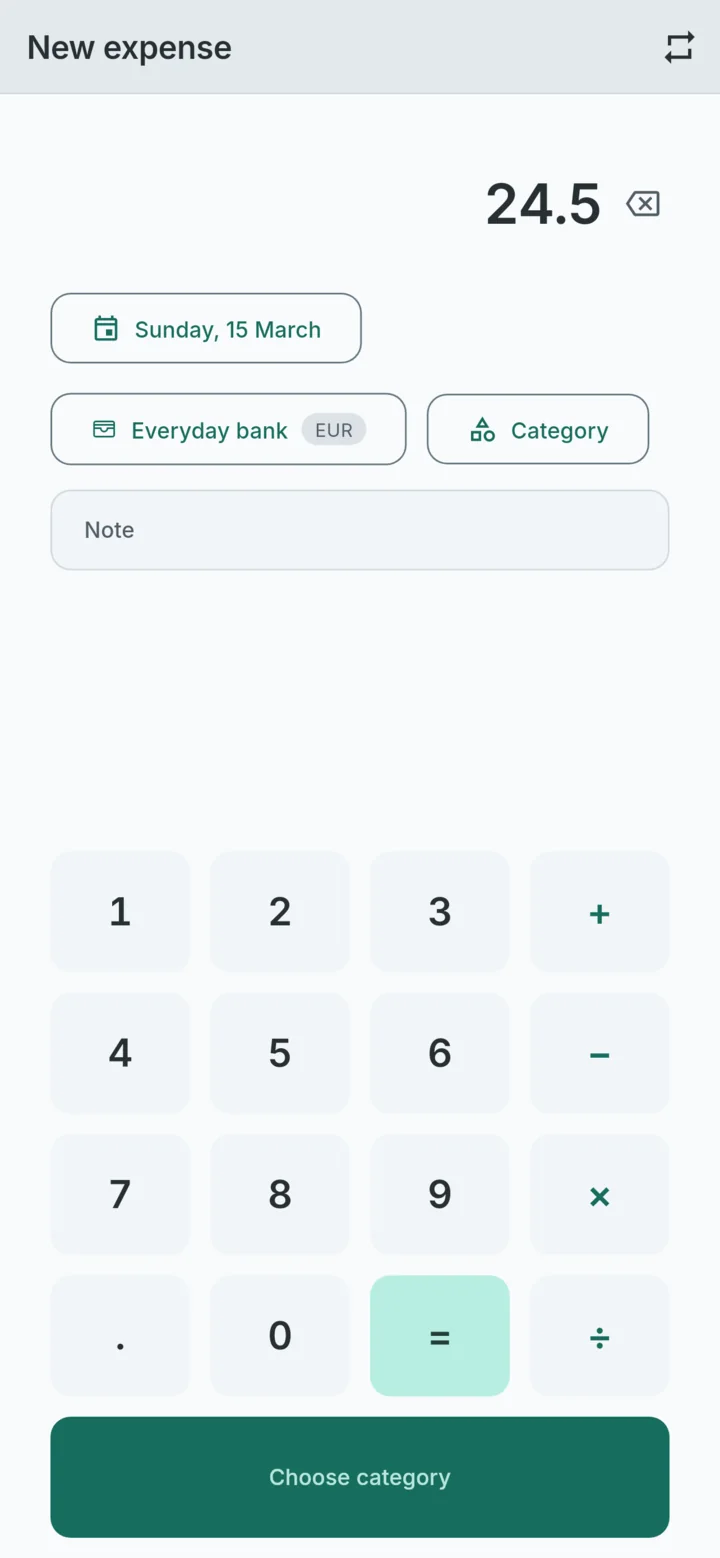
In WhereItWent a spend is three taps and an amount. Tap minus at the bottom of the dashboard, type the amount, and tap the category. The record is saved the moment you pick it, and Undo is there in case you picked the wrong one. The categories you use most come first, so the usual ones are rarely more than a glance away.
A few details that save time:
- The keypad is a calculator. A 48 dinner split three ways is 48 ÷ 3, worked out where you type it.
- Tap a category on the ring to start an expense with that category already chosen. Then it is just the amount and Save.
- The date is today unless you change it, so catching up on yesterday takes one extra tap.
- It works with no signal, which matters in basement shops and car parks. More on that in an offline expense tracker for your phone.
Catching the ones you missed
The evening check is easier when records are grouped the way your bank shows them. Pull up the panel on the dashboard and group by date: every day gets its own heading and its own total.
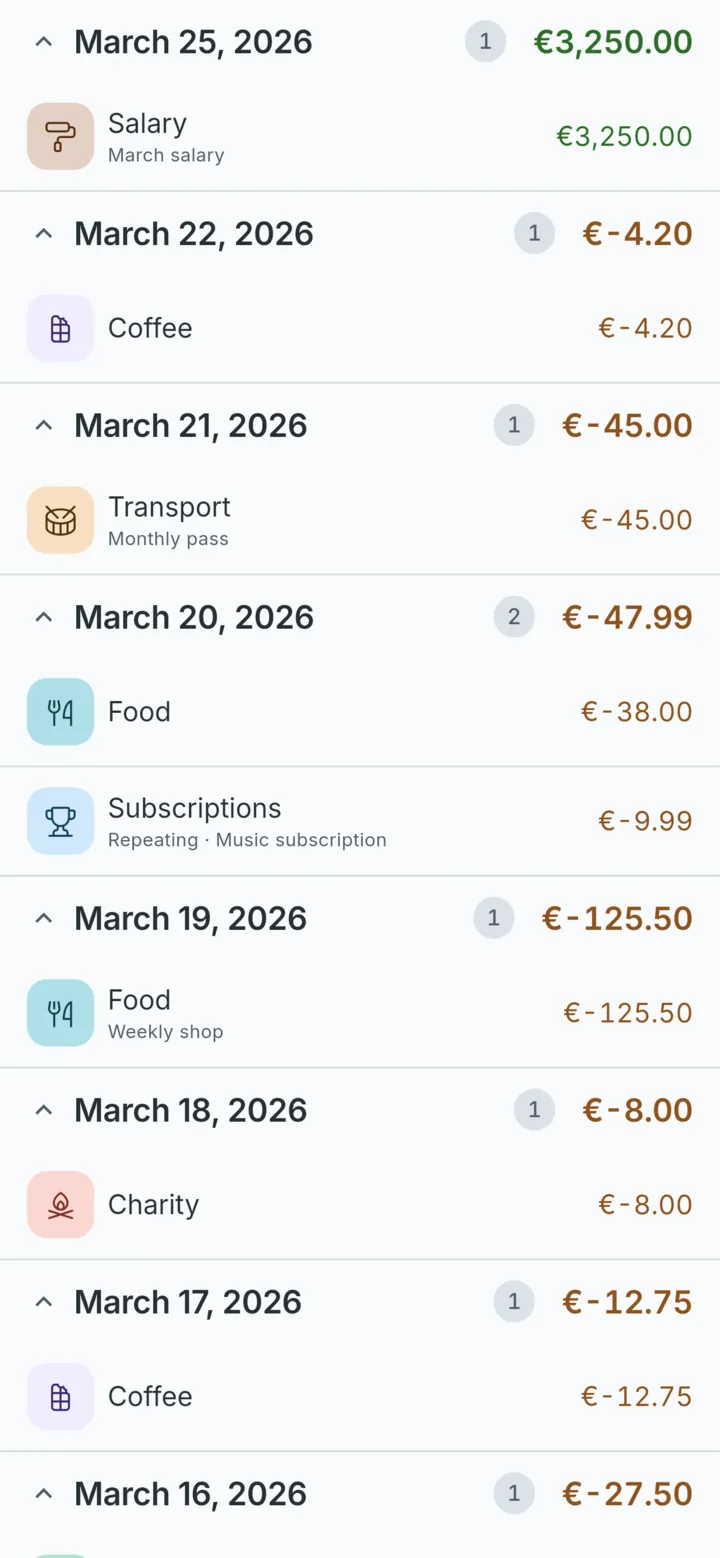
If a day's total matches the card statement, move on. If it does not, the gap is usually one forgotten spend. Search finds older records by category, account or note.
Cash, cards and the cash machine
Cash is where most tracking falls apart, and one rule fixes it: treat cash as an account of its own.
- When you take 100 out of a cash machine, record a transfer from Card to Cash, not an expense.
- Log what you buy with that cash as expenses from the Cash account.
The withdrawal is not spending, so it does not count twice: transfers between your own accounts are left out of the month's spending. Set the period to All time and the Cash account shows what should be in your wallet. When the two disagree, something went unlogged.
Small mistakes that add up
- Too many categories. If choosing takes longer than typing the amount, merge some.
- Logging the whole bill when you only paid your share. Record what left your pocket.
- Leaving out the automatic payments. Rent and subscriptions never pass through a till, so enter them once as repeating records. How to track recurring bills and subscriptions shows how.
WhereItWent logs a spend in three taps and an amount, which is quicker than forgetting it. Free, offline, no account, no ads.
Get WhereItWent