
When is one currency not enough?
A single-currency tracker works until money starts arriving or leaving in a second one. The usual reasons:
- Travel. A week abroad means cash, card payments and a few fees, all in a currency your tracker may not speak.
- Living abroad with an account still open back home.
- Getting paid in another currency, as a freelancer or a remote worker.
- Savings or leftover cash in a foreign currency that you still want in your net total.
Two ways to handle a foreign spend
Trackers take one of two approaches, and the difference shows up months later:
| Approach | What gets saved | Upside | Downside |
|---|---|---|---|
| Convert when you log | Only the converted amount | Simple, and one currency everywhere | The original amount is gone, and a wrong rate stays wrong |
| Keep the original, convert when you read | The amount, its currency, and a table of rates | Fix a rate later and every total updates | You keep the rates up to date |
WhereItWent takes the second approach. A 45-dollar dinner is saved as 45 dollars, and converted into your main currency whenever a total needs it.
Setting it up
- Pick a main currency. You choose it on first launch, and every total on the dashboard is converted into it. It can be changed later in Settings → Currencies.
- Add an account for each currency. When you add an account, pick its currency by name or ISO code from a list of 158. For a trip, a "Travel cash" account in dollars is enough.
- Add a rate. In Settings → Currencies, open the currency and add an exchange rate, written as 1 USD = 0.92 EUR, with the date it applies from. Enter one direction only, and the reverse is worked out for you.
- Log spends in the account you paid from. The amount is typed in that account's currency, exactly as it appears on the receipt.
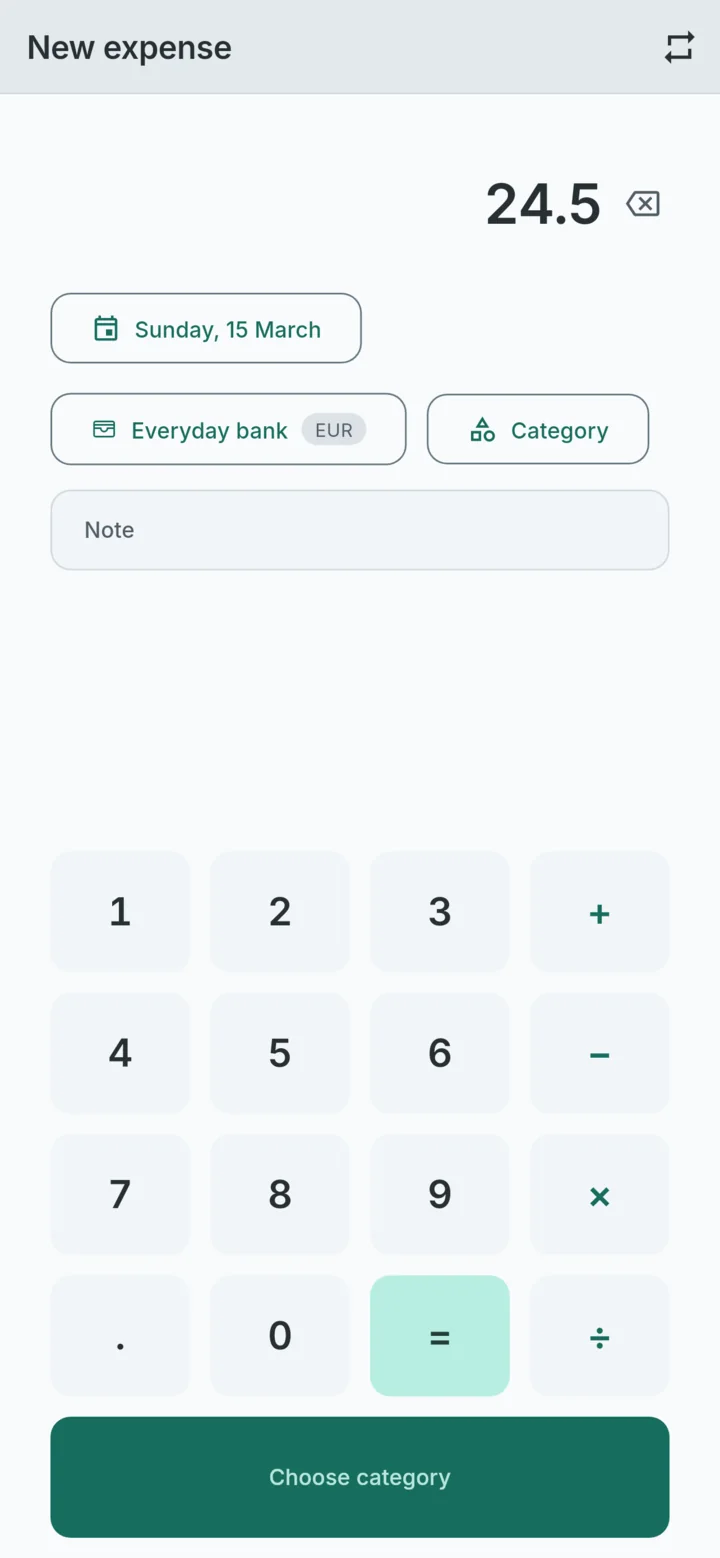
A worked example: a week in the US
Say your main currency is the euro and you add a Travel cash account in US dollars before a trip. You enter 1 USD = 0.92 EUR from 1 June, and the dollar firms up mid-trip, so you add 1 USD = 0.95 EUR from 15 June.
| Date | Spend | In USD | Rate in force | In EUR |
|---|---|---|---|---|
| 10 June | Dinner | 45.00 | 0.92 | 41.40 |
| 12 June | Museum | 30.00 | 0.92 | 27.60 |
| 16 June | Hotel | 180.00 | 0.95 | 171.00 |
| Total | 255.00 | 240.00 |
Then the card statement arrives, and the rate your bank actually used in early June was 0.93. Edit the 1 June rate to 0.93, and the dinner becomes 41.85 euros and the museum 27.90. The trip total moves to 240.75. The records themselves are untouched, because they were always stored in dollars.
Moving money between currencies
Changing money, or taking dollars out of a cash machine with a euro card, is a transfer between two of your accounts, not a spend. Record it as a transfer from Card to Travel cash. If a rate is on file for that day, the transfer uses it. If not, type the rate in the transfer itself, and it is saved as the rate for that date, so the next records convert with it too.
Transfers are left out of the month's spending, so changing 200 euros into dollars does not look like 200 euros of shopping.
What the dashboard shows
Every total on the dashboard, from the ring to the bar at the bottom, is in your main currency. The account list keeps each balance in the account's own currency, so Travel cash still shows how many dollars should be in your wallet. Each currency can also show 0 to 3 decimal places, which only changes how amounts look: yen with no decimals, for example.
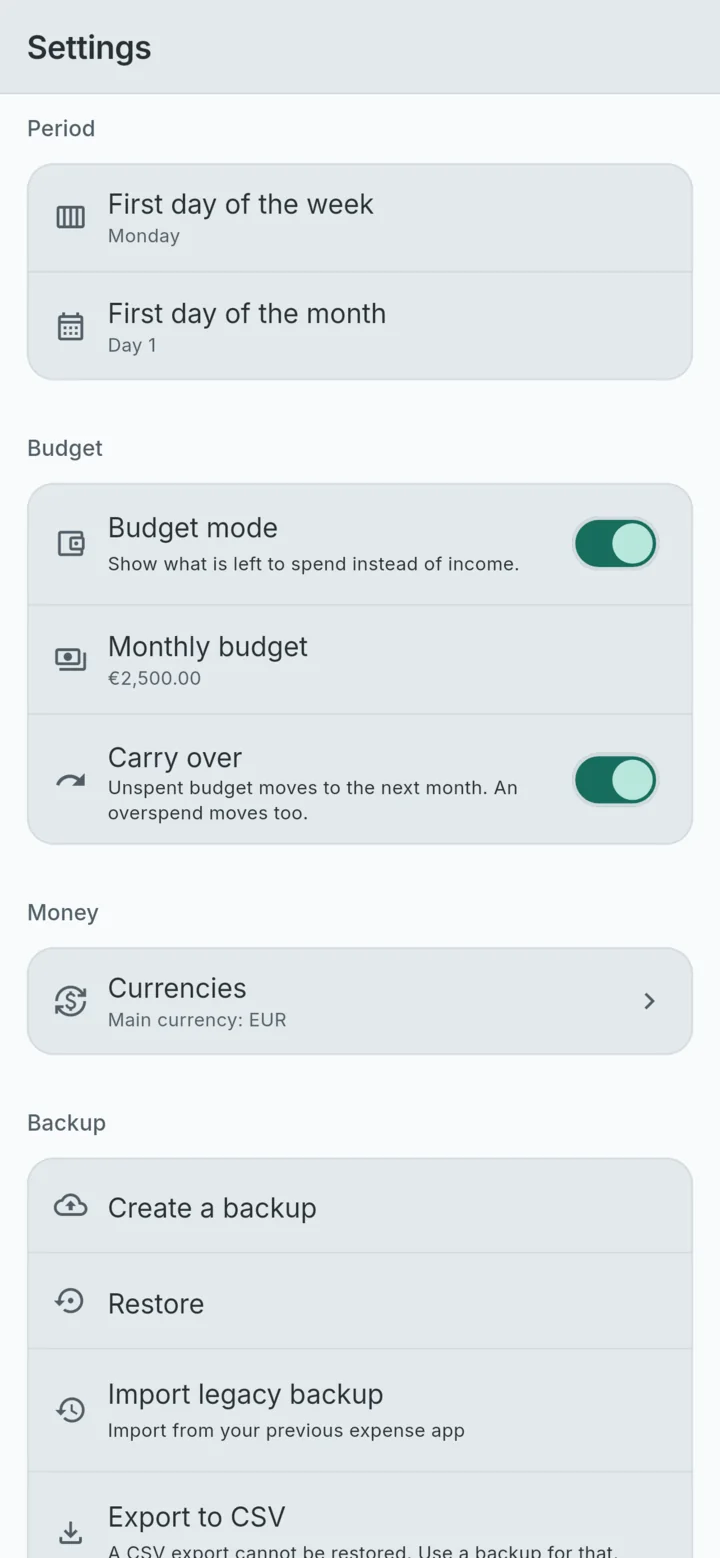
Things to watch
- No rate means one to one. Until you add a rate, 5,000 yen counts as 5,000 euros, and the month will look alarming. Add the rate before the first record in a new currency. The transfer screen says so plainly when no rate is on file.
- Rates are typed, not downloaded. Nothing is fetched online, which is why it all works abroad with roaming off. Use the rate from your bank or card statement rather than a market rate, and your totals will match what you actually paid.
- A budget lives in the main currency. Spending in other currencies counts toward it at your rates, and budget mode applies when the dashboard shows all accounts.
Exporting it
Export to CSV keeps both sides of every amount: the original value and currency, then the converted value and the main currency. The trip above comes out like this:
date,wallet,bucket,value,currency,converted value,converted currency,memo
2026-06-10,Travel cash,Eating out,-45.000,USD,-41.400,EUR,Dinner
2026-06-12,Travel cash,Entertainment,-30.000,USD,-27.600,EUR,Museum
2026-06-16,Travel cash,Hotel,-180.000,USD,-171.000,EUR,
Dates are written year first, spends are negative, and values carry no thousands separators, so a spreadsheet reads them without any cleaning. You can choose a comma or semicolon between columns, and a point or comma for decimals.
Travel is also where signal is least reliable, so it helps that none of this needs a connection. An offline expense tracker for your phone covers how to check that before you fly. And if a trip is when your tracking usually lapses, how to track daily expenses has a routine short enough to keep up on holiday.
WhereItWent keeps each account in its own currency and converts every total at rates you set, dated to the day. Free, offline, no account, no ads.
Get WhereItWent