
Why do repeating costs slip out of view?
A recurring charge never passes through your hands. Nobody hands over a card for the phone contract or the music service, so nothing at the moment of payment reminds you it happened. Each one is small, or was small when you signed up, and the yearly ones arrive so rarely that they feel like a surprise every time.
Together they are often the biggest single block of a month's spending, and the part people can least describe from memory.
1. Find every one of them
- Bank and card statements. Three months catches the monthly charges. Twelve months catches the yearly ones, such as insurance, memberships and domain names.
- The store's subscriptions page. Google Play and the App Store each list what they bill you for, including free trials about to turn into payments.
- Your email. Search for receipt, renewal and subscription.
- Direct debits and standing orders in your banking app, which often include things you set up years ago.
2. Put them in one table
For each charge, write down the amount, how often it is taken, and what it costs per month. Yearly and quarterly costs are the ones to convert: divide a yearly charge by 12 and a quarterly one by 3.
| Charge | Amount | How often | Per month |
|---|---|---|---|
| Rent | 850.00 | Every month | 850.00 |
| Phone | 20.00 | Every month | 20.00 |
| Gym | 35.00 | Every month | 35.00 |
| Streaming | 13.99 | Every month | 13.99 |
| Music | 9.99 | Every month | 9.99 |
| Cloud storage | 2.99 | Every month | 2.99 |
| Water | 90.00 | Every 3 months | 30.00 |
| Car insurance | 540.00 | Every year | 45.00 |
| Domain name | 15.00 | Every year | 1.25 |
| Total | 1,008.22 |
Rent aside, that is 158.22 a month, or 1,898.64 a year. The three subscriptions alone come to 26.97 a month and 323.64 a year, which is worth knowing the next time one of them asks for a price rise.
Then ask each row a short question: is it still used? A gym visited twice last month cost 17.50 a visit. A monthly plan with a yearly option is often cheaper paid yearly. And a household with two people paying for the same streaming service only needs one.
3. Enter each one once as a repeating record
Logging rent by hand every month works until the month you forget. A repeating record does it for you. In WhereItWent, start a new expense as usual, tap Repeat at the top of the record screen, and choose how often:
- every week, on the days you pick
- every 2 weeks or every 4 weeks
- every month, every 2, 3 or 6 months, or every year
Set the start date, and an end date if there is one, or leave it at Never. A charge on the 31st falls on the last day of shorter months. Start a schedule on the last day of a month and it stays on the last day.
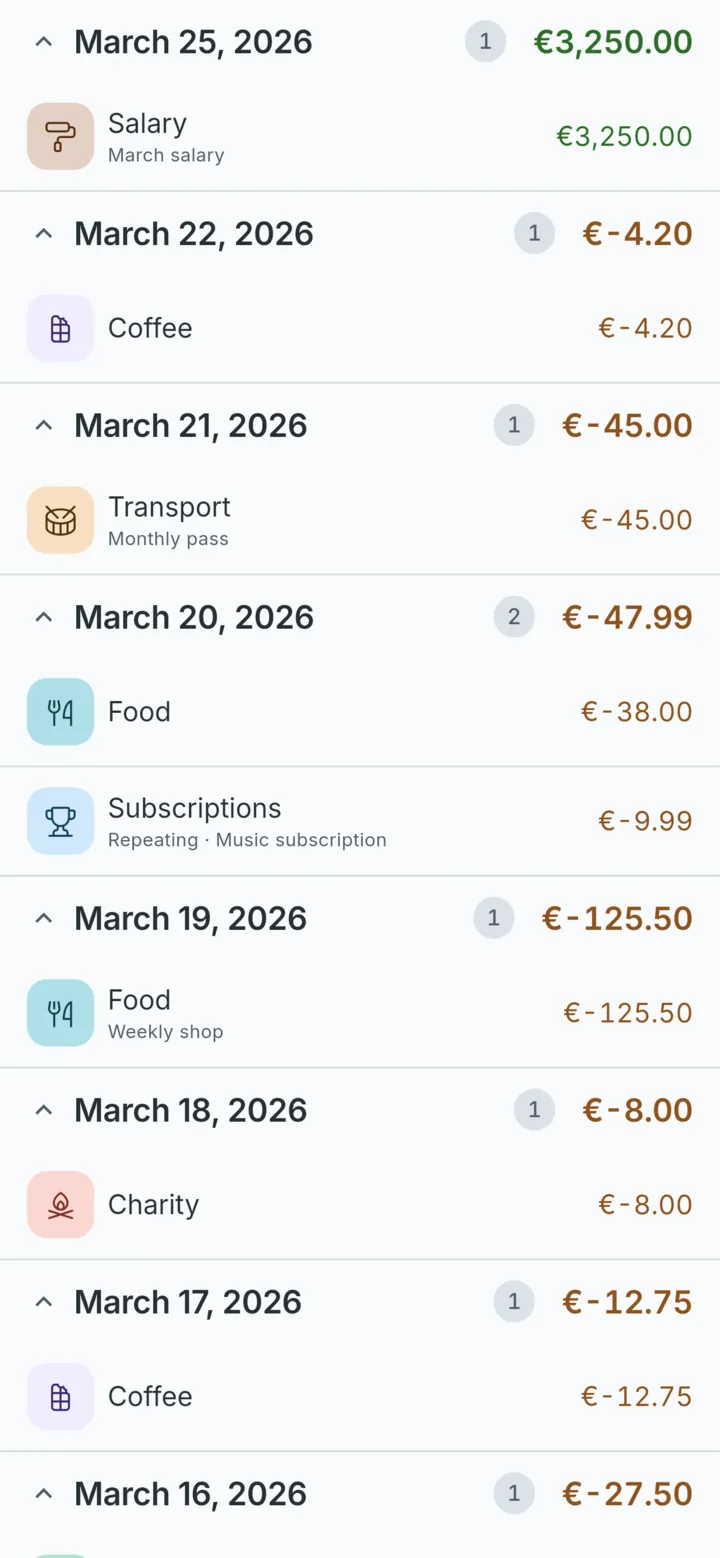
From then on the record appears in every period it falls in, marked Repeating, with your note beside it. Because repeating records are worked out for the whole period you are looking at, a bill due on the 28th is already in this month's total on the 3rd. Swipe to next month and next month's rent is there before it is charged. With a budget switched on, Left to spend already allows for the bills still to come.
4. When the price changes
Prices rise, and plans change. When you edit a repeating record, WhereItWent asks what the change applies to:
| Situation | Choose | Result |
|---|---|---|
| The price goes up from next month | This and later records | Earlier months keep the old price, so your history stays true |
| One bill was unusually high | This record only | The rest of the schedule is unchanged |
| You typed the amount wrong at the start | All records in the schedule | Every month is corrected |
When you cancel a subscription, give the schedule an end date, or delete it. Deleting asks whether the records already created should stay or go with it. Keep them: you did pay them, and your past months should say so.
Bills that change every time
Electricity, metered water and phone bills with extras rarely come to the same amount twice. You have two reasonable options. Enter a repeating record at a typical amount and correct each month with This record only when the bill arrives, which keeps future months realistic. Or repeat only the fixed charges and log variable bills by hand as they come. The first suits budgeting, and the second suits people who prefer exact numbers over estimates.
Income repeats too
The same Repeat button works on income. A monthly salary, a pension or a lodger's rent entered once shows up in every month without another tap, so the balance and the month's income stay complete.
Review the list every few months
Put a date in your calendar every three months to go through the list again. Prices creep, trials end, and services you meant to cancel keep charging. Each time, compare the schedules with the latest statements and fix anything that moved.
Once the fixed costs are in place, the rest of the month is easier to plan. How to set a monthly budget by category starts from exactly this list. And because repeating costs are often the largest slice, they are the first thing to check when you find out where your money goes.
WhereItWent enters each bill once and shows it in every month it falls in, including the ones still to come. Free, offline, no account, no ads.
Get WhereItWent