
Why does it take a backup file?
Android keeps each app's data private to that app. No other app can open Monefy's records directly, however much you would like it to. The way across is a backup file: Monefy writes it, and you hand it to the new app.
WhereItWent reads that backup file. It does not read Monefy's CSV export, which is meant for spreadsheets rather than for moving a whole ledger.
Step 1: Create a backup in Monefy
Monefy's help center gives the path: open the menu, then Settings → Data Backup → Create data backup, and choose where to save the file in the Android file picker.
- Make the backup today, so it includes your latest records.
- Save it somewhere easy to find, such as the Downloads folder.
- Changing phones as well? Create the backup on the old phone, then move the file to the new one by email, a cloud drive or a cable.
Step 2: Import it into WhereItWent
- Install WhereItWent and finish the short setup. The main currency you pick here is replaced by the one in your Monefy backup when you import, so any choice is fine.
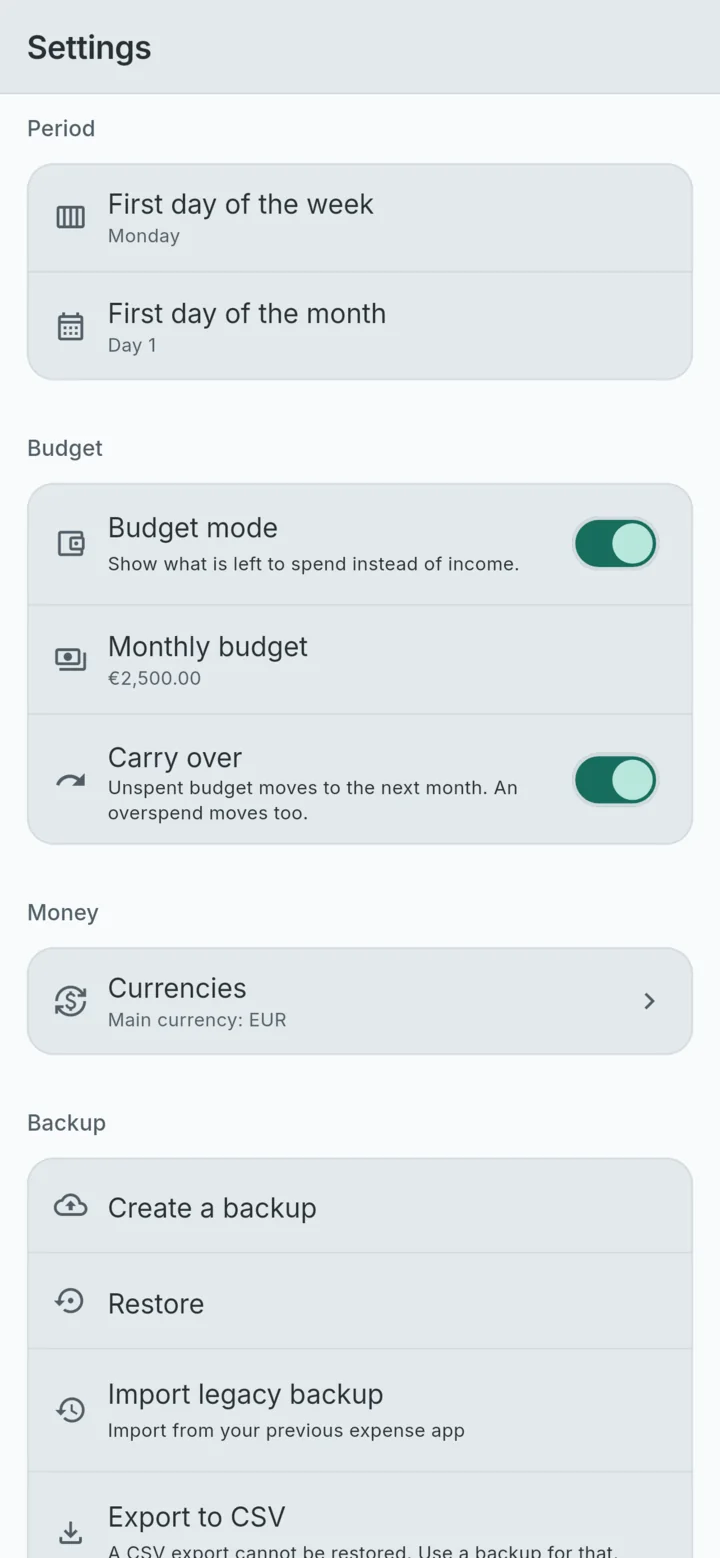
- Open Settings → Backup → Import legacy backup. Its subtitle reads Import from your previous expense app.
- Pick the Monefy backup file.
- Read the summary. It names the file and counts what is inside, for example 1,842 records · 3 accounts · 21 categories · 47 transfers. It also shows the dates of the first and last record, and the main currency the file uses.
- Choose Merge into my data or Replace all my data. Merge is selected by default. Replace asks a second time, because it deletes everything already on the phone first.
- Tap Import. A message confirms how many rows came in.
Merge or replace?
| Your situation | Choose | What happens |
|---|---|---|
| Fresh install, nothing logged yet | Replace | Nothing of yours is on the phone yet, and any names you gave Monefy's starting accounts and categories are kept exactly |
| A few weeks already logged in WhereItWent | Merge | Both sets of records are kept. Where a starting category or account exists in both, such as Food or Cash, the records land on one, under WhereItWent's name for it |
| An earlier import went wrong and you want a clean start | Replace | Everything on the phone is deleted, then the backup is loaded |
Merge is safe to repeat. Import the same file twice and the second time adds nothing. Merging a newer backup later adds only the records that are new, so changes made in Monefy to records you already imported are not picked up.
What comes across
- Records, with their dates, amounts and notes
- Accounts, with their currencies and starting balances, archived ones included
- Categories and their icons, archived ones included
- Transfers between your accounts
- Currencies, and the exchange rates you entered, with their dates. Tracking expenses in more than one currency explains how those rates are used
- Repeating records, which carry on repeating
- Your main currency, which WhereItWent adopts from the file
Warnings you might see
Before you confirm, the summary flags anything that will not merge cleanly:
- Accounts with the same name in a different currency are imported as separate accounts, and listed by name so you can check them.
- Categories that are income in one ledger and expense in the other are imported separately, and listed too.
- Columns this version does not use are kept, so your data can move out again later.
If the file cannot be read, nothing on the phone changes, and the message says why. The file may not be a legacy backup at all. It may be a backup WhereItWent made itself, which goes through Restore instead. Or it may come from a version of the old app's database that the importer does not read, in which case the message names the version it found.
After the import: a five-minute check
- Open last month in both apps and compare the total spending and income.
- Pick the account you use most and compare its balance.
- Swipe to next month and check that rent and your other repeating records are there.
- Open Settings → Currencies and check the main currency and your rates.
- Look over Settings for the first day of the month and the budget, and set them the way you want.
A small gap usually means records were added in Monefy after the backup was made. Create a fresh backup there and merge it.
Keep the old app until you are sure
Do not uninstall Monefy the moment the import finishes. Use WhereItWent for a week or two, keep the backup file somewhere safe, and remove the old app once the numbers have earned your trust. If you are still deciding whether to switch at all, a Monefy alternative with no subscription covers what you gain and what you give up.
WhereItWent is an independent app and is not affiliated with Monefy or its developer, Reflective Technologies ApS.
WhereItWent reads your Monefy backup and shows what is in it before a single row is written. Free, offline, no account, no ads.
Get WhereItWent