
What does offline actually mean?
Plenty of finance apps say they work offline. Read the small print and the word covers at least three designs, and they behave very differently once the signal drops.
| Design | Where your records live | With no signal | If the server shuts down |
|---|---|---|---|
| Online only | On the company's server | A spinner, or an error | The records go with it |
| Offline first, synced | On the phone and on a server | Logging works, and changes wait to upload | The phone keeps a copy, but sign-in and sync stop |
| Local only | In a database on the phone | Everything works | Nothing changes |
Synced apps have a real advantage: the same ledger on two devices. For a personal spending log, though, the local design is the easiest to trust. There is no upload queue to watch, and no second copy of your spending on a computer you will never see.
A two-minute offline test for any expense app
Store listings rarely say which design an app uses, so test it before you put a month of spending into it.
- Turn on airplane mode and close the app completely, so it cannot reuse a connection it already had.
- Open it again. It should go straight to your records, with no sign-in screen and no "connecting" message.
- Log an expense, then edit it and delete it. All three should happen at once, with no "will sync later" badge.
- Go back a few months and search for an old record. If older history only loads online, it lives on a server.
- Create a backup or an export to a file on the phone. A local app can do this with no connection.
- Back online, read the Data safety section of the Google Play listing. Look for financial info or personal info under the data the app collects or shares.
An app that passes the first five steps works offline. The sixth tells you whether it also keeps your spending to itself.
Where offline logging pays off
- Underground and indoors. Basement supermarkets, metro stations and car parks are where a lot of card payments happen and where signal tends to drop.
- Abroad. With roaming off, an app that needs a connection stays useless for the whole trip, which is when spending is hardest to keep track of. See how to track expenses in more than one currency for the rest of that problem.
- Flights and long train rides, which are a good time to catch up on a few days of receipts.
- Small data plans. A local app spends no data to log a coffee.
How WhereItWent keeps everything on the phone
WhereItWent is a local-only app. Every expense, account, budget and repeating record is stored in a database on your phone. There is no WhereItWent server, so there is nothing to sign in to and nothing to sync. Logging a spend is a tap on minus, an amount and a category, and it works the same in airplane mode as it does on Wi-Fi.
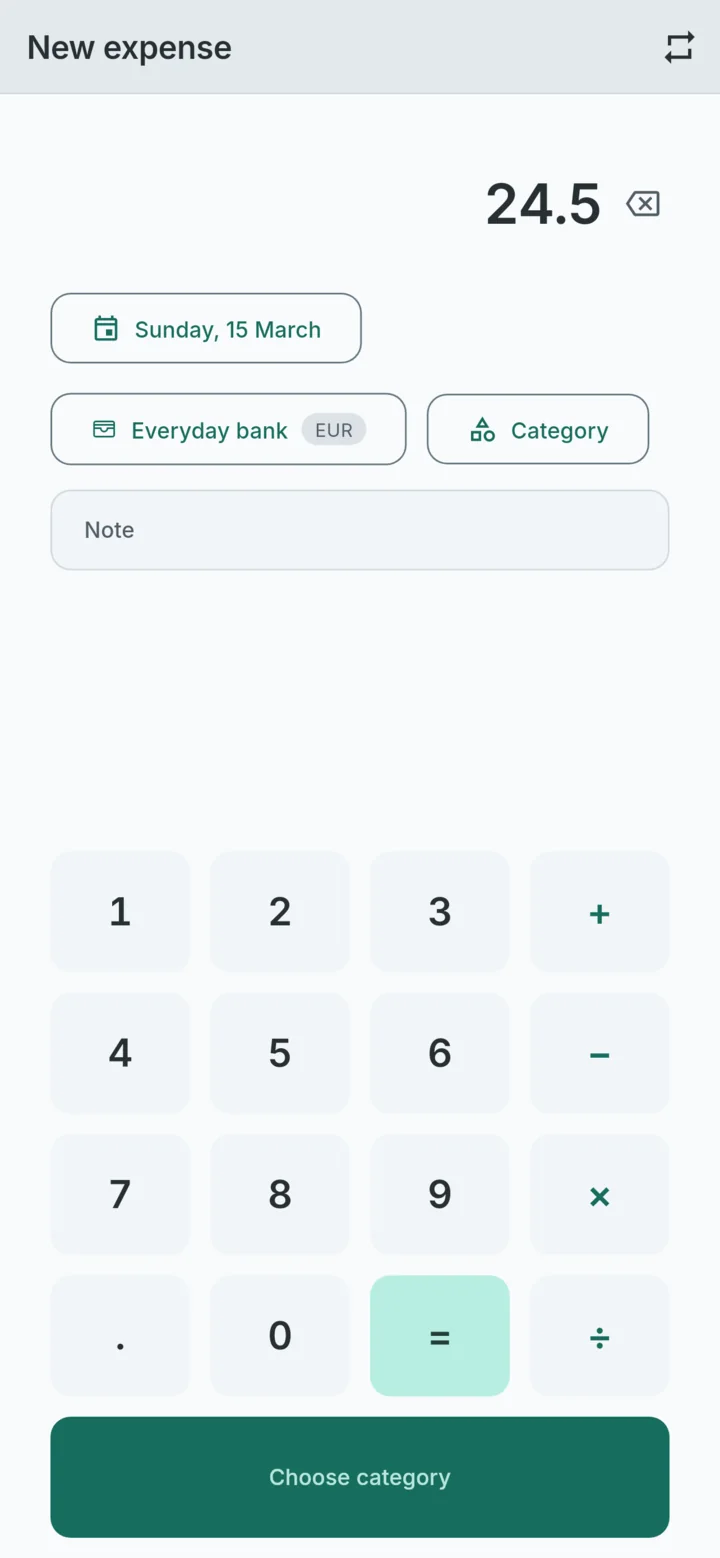
A few details matter more than usual offline:
- Setup needs no connection. The first launch asks for a language and a main currency. The list of 158 currencies is built into the app.
- Exchange rates are typed by hand. Nothing is downloaded, so conversion works anywhere. The cost is that you set the rates yourself, and the upside is that they can match what your bank actually charged.
- No automatic cloud copy. On Android the app opts out of automatic backup, so your records are not copied to your Google account. A backup exists only when you create one, and it goes where you put it.
- One optional exception. The contribution jar asks Google Play for prices through RevenueCat. The app does not contact RevenueCat until you first open the jar. After that it connects when the app starts, with a random app ID and device details, never your records. The privacy policy lists every field.
What you give up with a local-only app
Keeping records off servers has costs, and they are worth knowing before you start:
- No sync between devices. The phone holds the only live copy. A tablet or a partner's phone cannot open the same ledger.
- No bank import. Every record is typed. That takes a few seconds per spend, and typing the amount is also what makes you notice it.
- A lost phone takes the records with it, unless you made a backup. Settings → Backup → Create a backup writes one file, and Restore reads it back on a new phone.
A backup every few weeks covers the biggest of those risks. Save the file somewhere other than the phone itself, such as a computer or a drive you trust.
Common questions
Does it need the internet at all?
Only to install it from Google Play, and for the contribution jar if you open it. Everything else runs on the phone.
Can I still export to a spreadsheet?
Yes. Export to CSV writes your records to a file with eight columns: date, account, category, amount, currency, the amount in your main currency, the main currency, and the note. A CSV is for spreadsheets and cannot be restored, so keep using backups for that.
Offline usually goes with a second question: who else holds your data. An expense tracker with no account covers what a sign-up costs you. If you want offline because you log at the till, how to track daily expenses has a routine that takes seconds per purchase.
WhereItWent logs a spend in airplane mode exactly as it does on Wi-Fi, because there is no server to reach. Free, offline, no account, no ads.
Get WhereItWent